
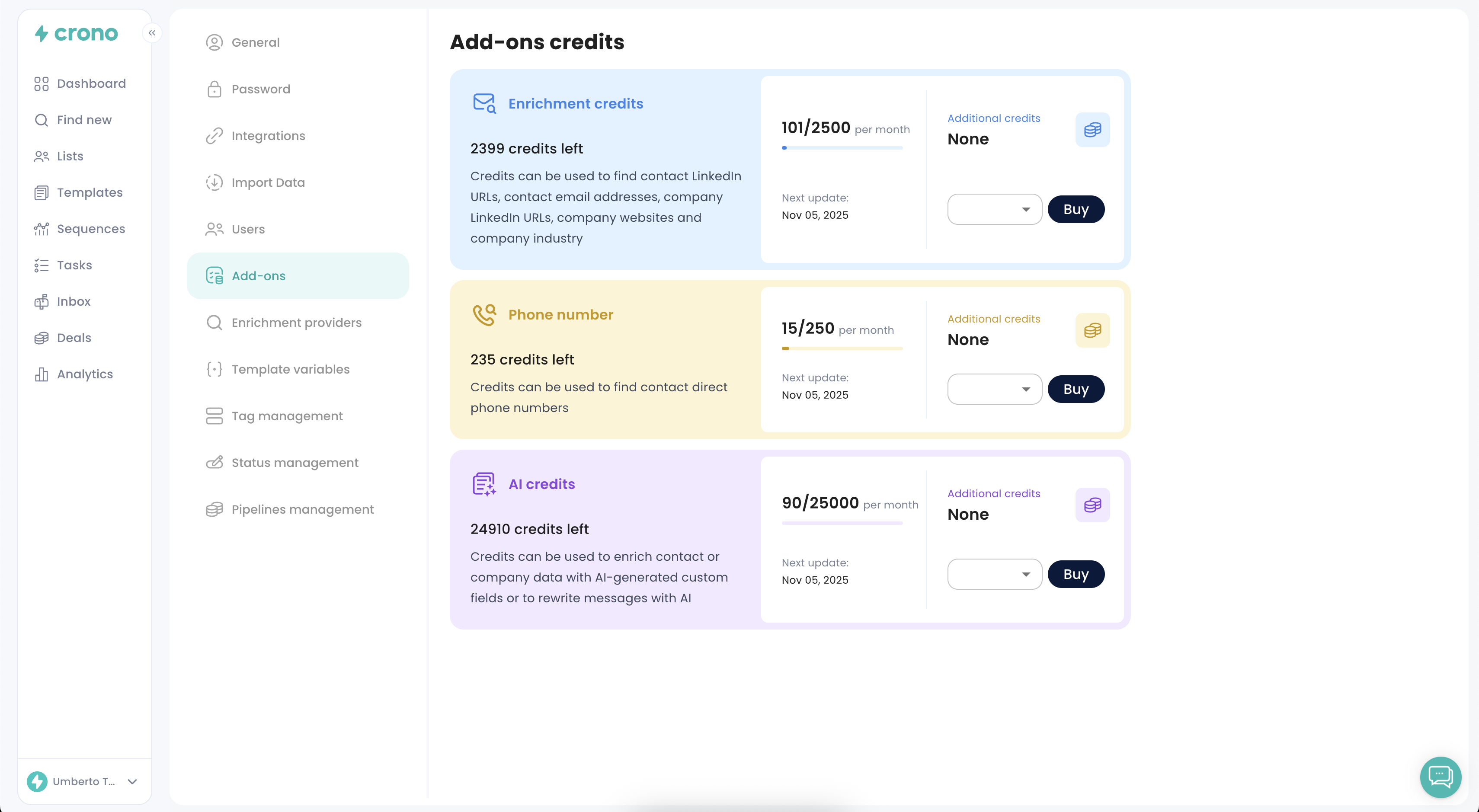
If you run out of monthly credits, you can purchase additional credits at any time from the Add-ons section in your Account Settings.
1. Where to buy credits
Follow steps below:
Click your profile in the bottom-left corner of the app
Open Account Settings
Go to the Add-ons tab
Here you can purchase extra credits for Email Finder, Phone Numbers, and AI.
2. Type of credits and what they are used for
Email finder credits: find contact LinkedIn URLs, contact email addresses, company LinkedIn URLs, company websites, company industry
Phone number credits: Find direct mobile phone numbers of contacts
AI credits: use AI features, such as: enriching contact/company data with AI custom fields and rewriting messages with AI
3. Monthly credits included in each plan
Every plan includes a monthly allowance of credits. These reset every month.
Pro plan:
500/month email finder credits
50/month mobile phone credits
5.000/month AI credits
Ultra plan:
1.000/month email finder credits
100/month mobile credits
10.000/month AI credits