
Archiving a template removes it from the active list while keeping it fully editable and still usable in sequences where it has already been applied.
How archiving impacts templates
The template is moved to the Archived section
It remains editable and changes are saved normally
Sequences already using an archived template continue to use it without interruption
The template is not deleted and can be restored at any time
How to archive a template
Go to Templates
Click the 3 dots on the specific template
Select Archive
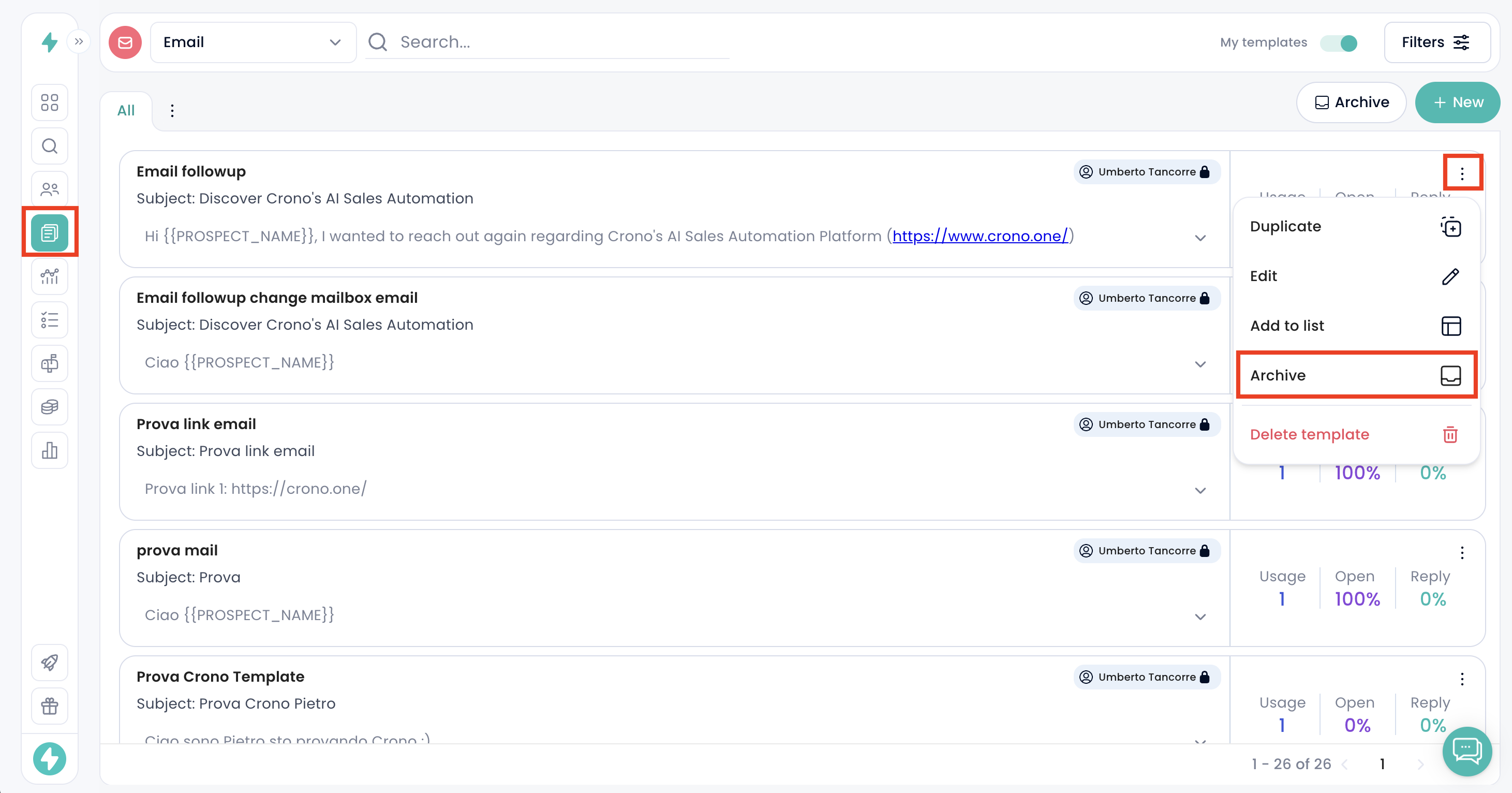
The template will move to the Archived section
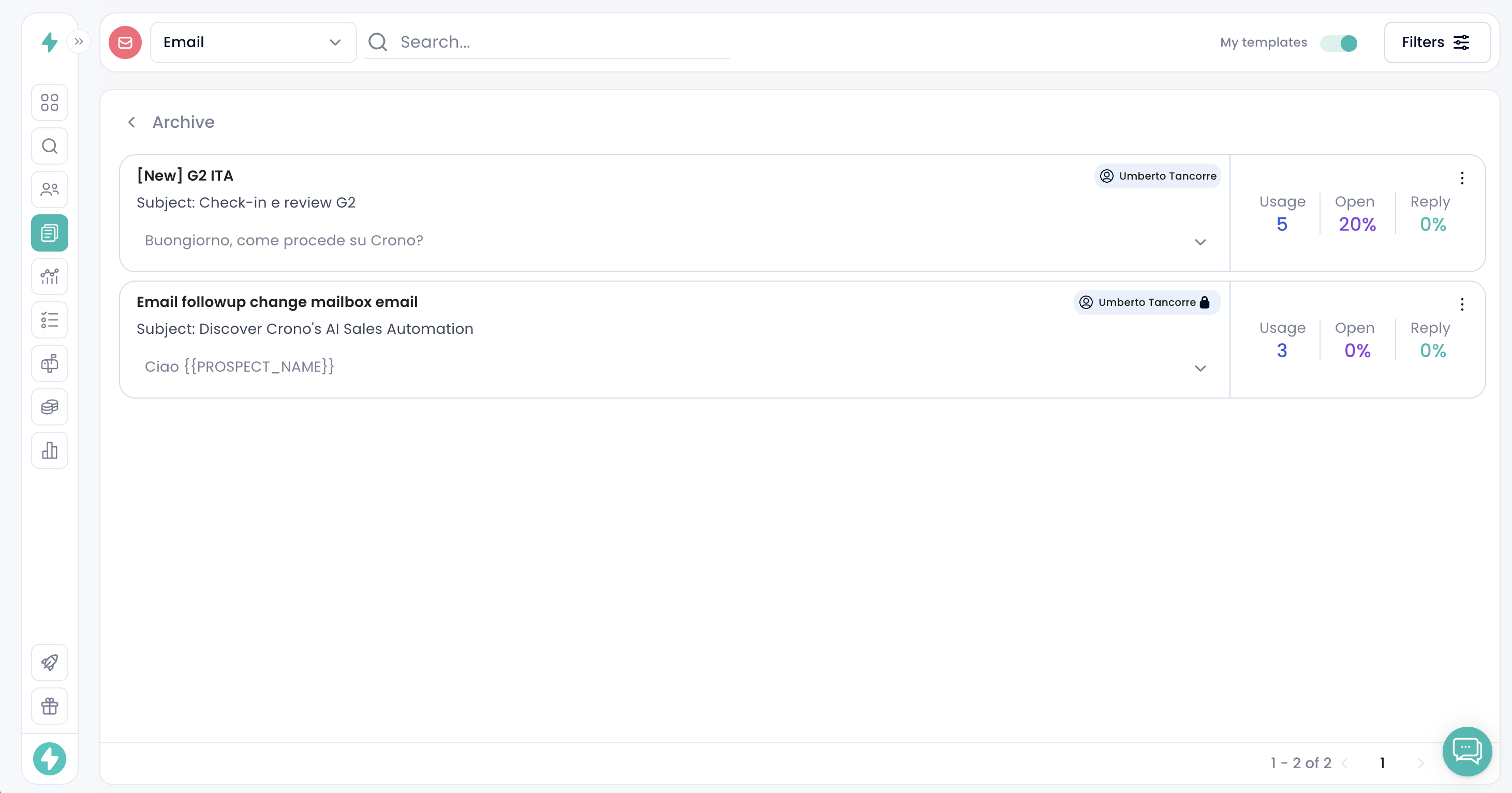
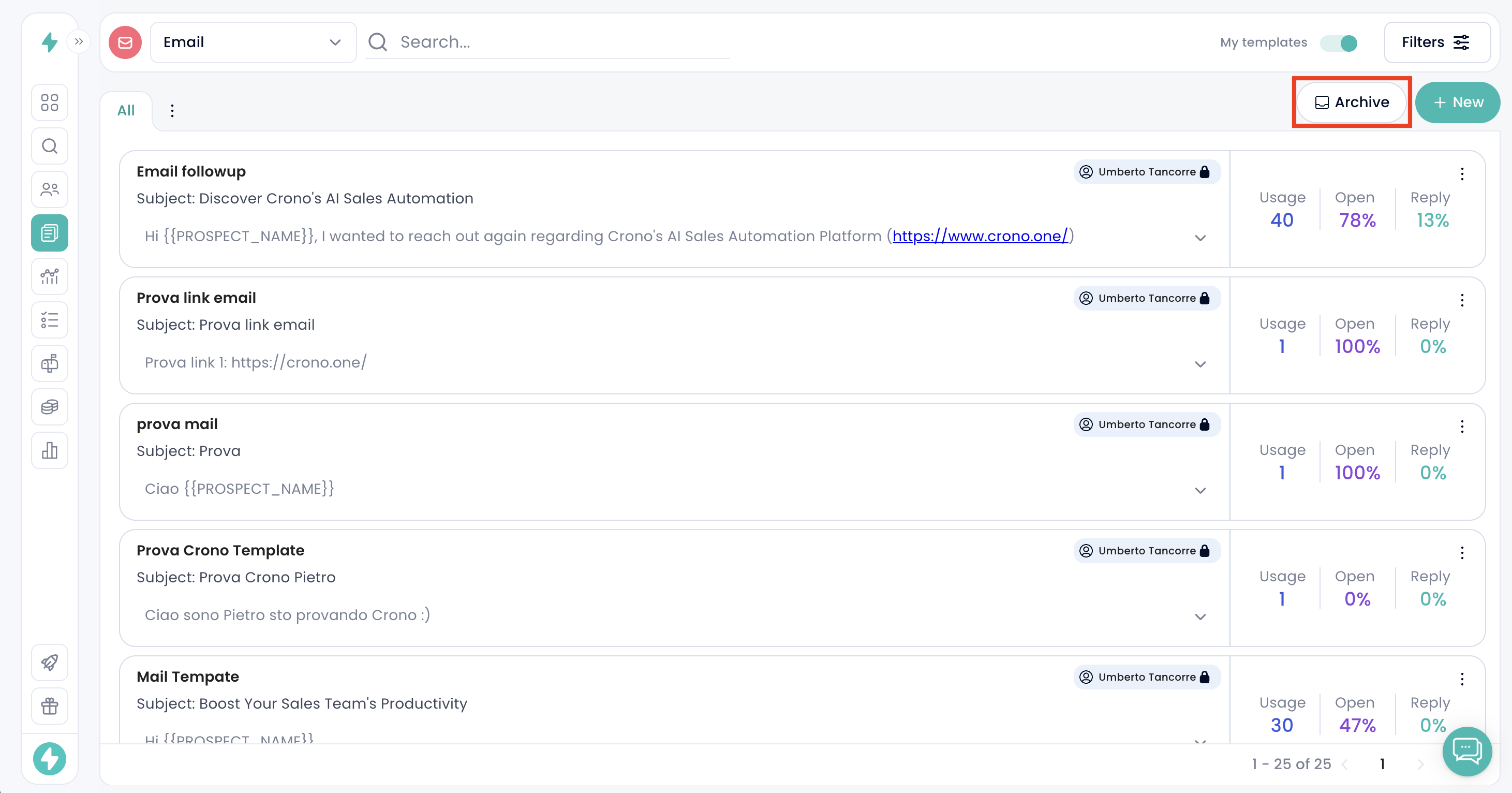
Access the Archived section from the top right button in Templates.
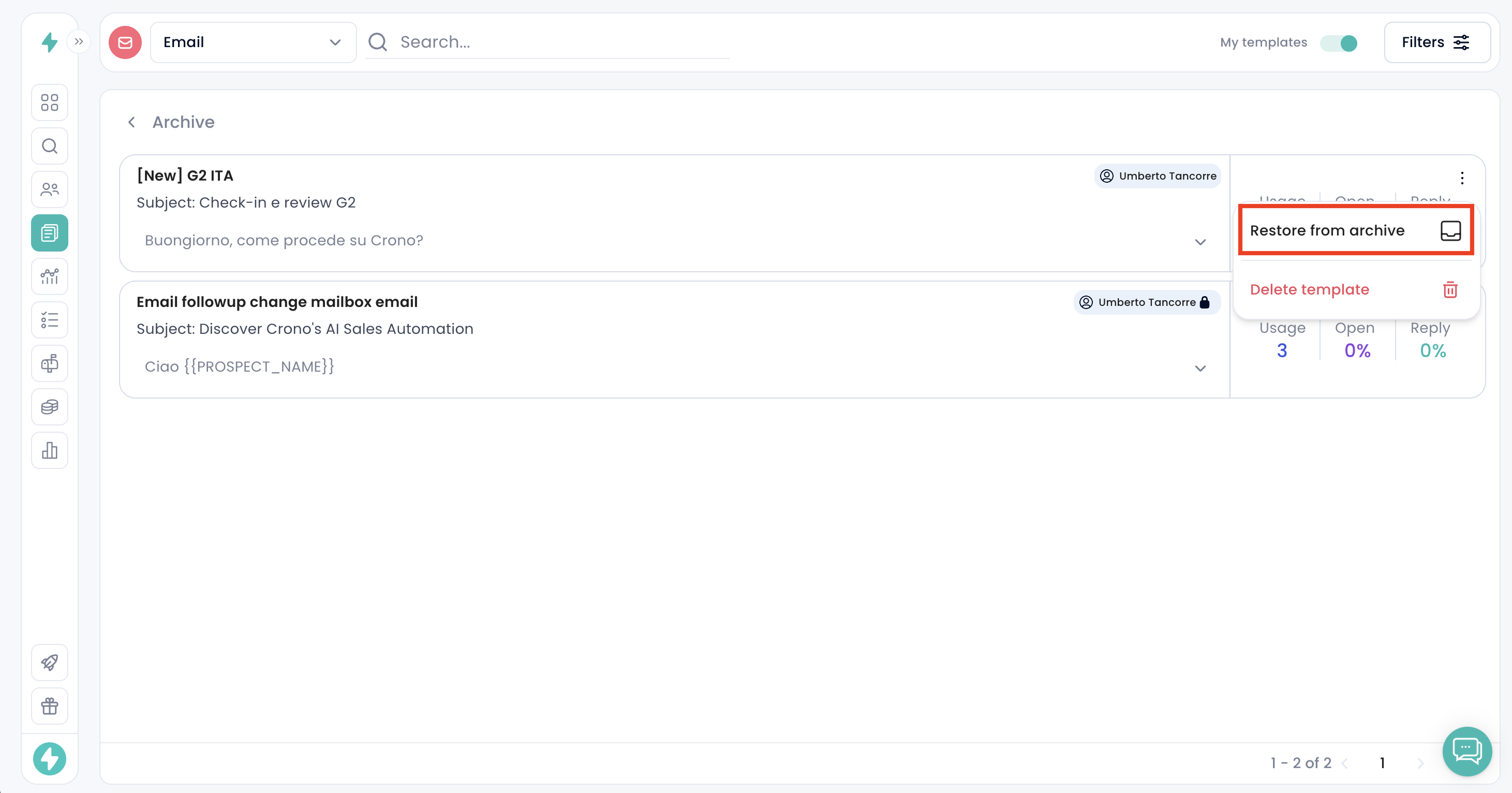
How to restore a template
Open the Archived section
Click the 3 dots on the template
Select Restore
It will return to the active Templates page
When to archive
Use archiving when a template is no longer needed in your active list but you may need to reuse, update, or reference it later.