
Re-sync with CRM lets you manually pull the latest data from your connected CRM into Crono, ensuring that deals, companies, and especially their related contacts are always up to date.
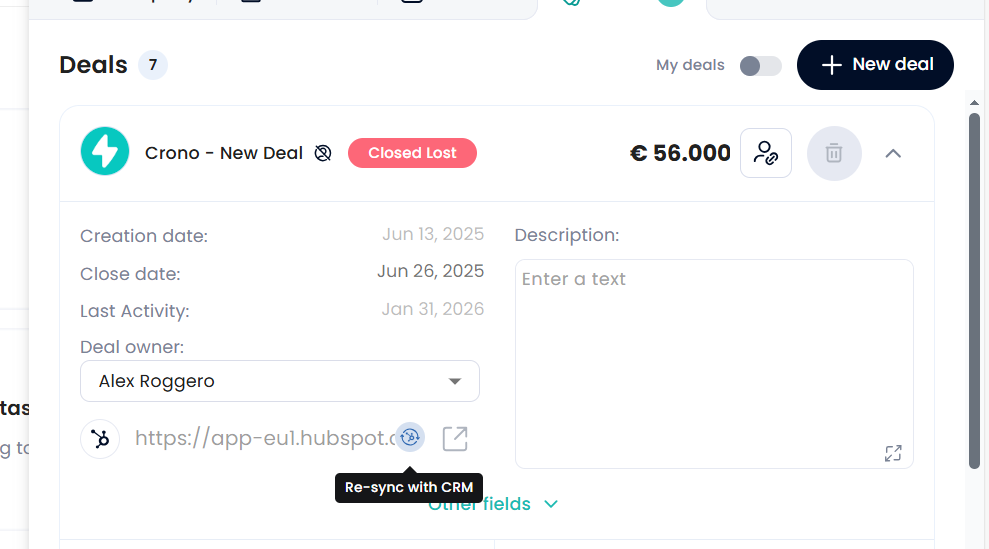
A common and practical example is when you open a deal in Crono and notice that some contacts related to that deal are missing. By clicking Re-sync with CRM directly from the deal, Crono will pull all the contacts associated with that deal’s company from the CRM and add them to Crono automatically.
Behind the scenes, Crono treats the company as the central entity. This means that re-syncing from a deal does not update only the deal itself, but also refreshes the full company context, including contacts, company details, and any deal-related information available in the CRM.
This is particularly useful when deals have already been imported into Crono, but contacts or additional CRM data were added later or were never synced in the first place. Instead of manually pushing data from the CRM, you can recover everything directly from Crono in a single action.
If your CRM is your source of truth, Re-sync with CRM ensures that all contacts related to a deal are always available and up to date inside Crono.