If you have connected your HubSpot CRM integration, you can quickly import your existing HubSpot lists into Crono.
This allows you to bring your HubSpot contact or company lists into Crono without having to recreate them manually.
Go to the Lists page in Crono and click the + New button in the top-right corner.
From the dropdown menu, select Import HubSpot List.
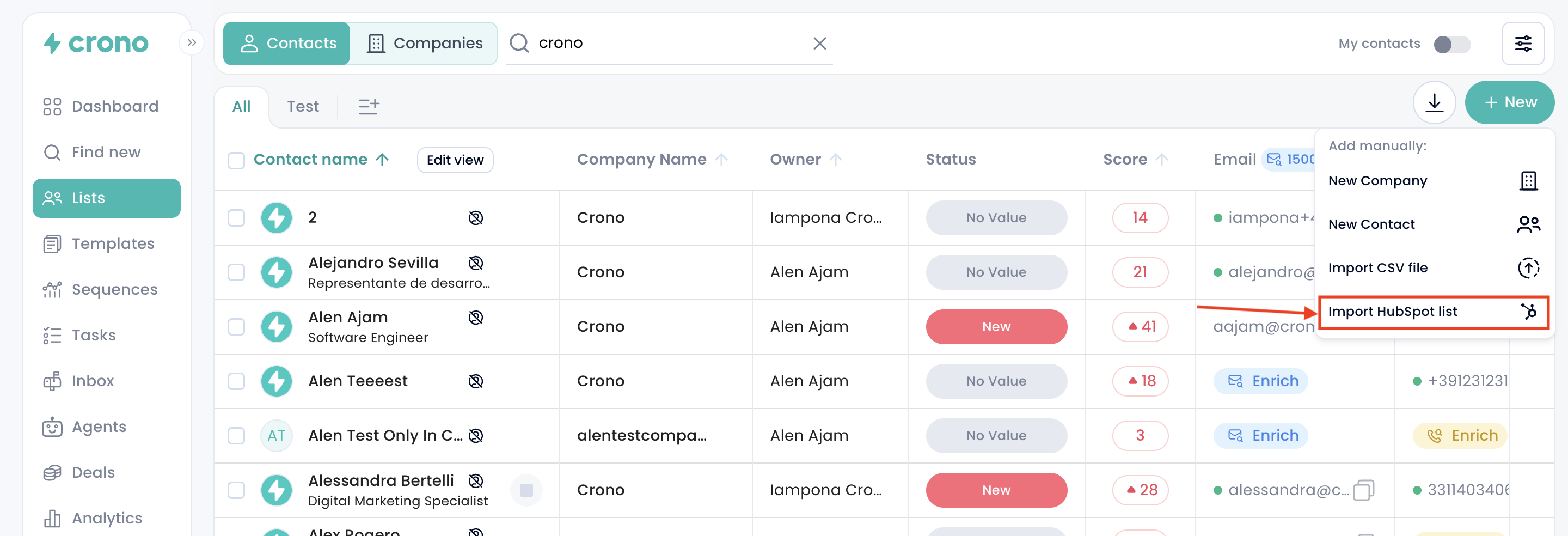
A popup will open where you can choose the HubSpot list you want to import. You will be able to select from the lists already available in your connected HubSpot account.
Once you have selected the list, you can proceed with the import.
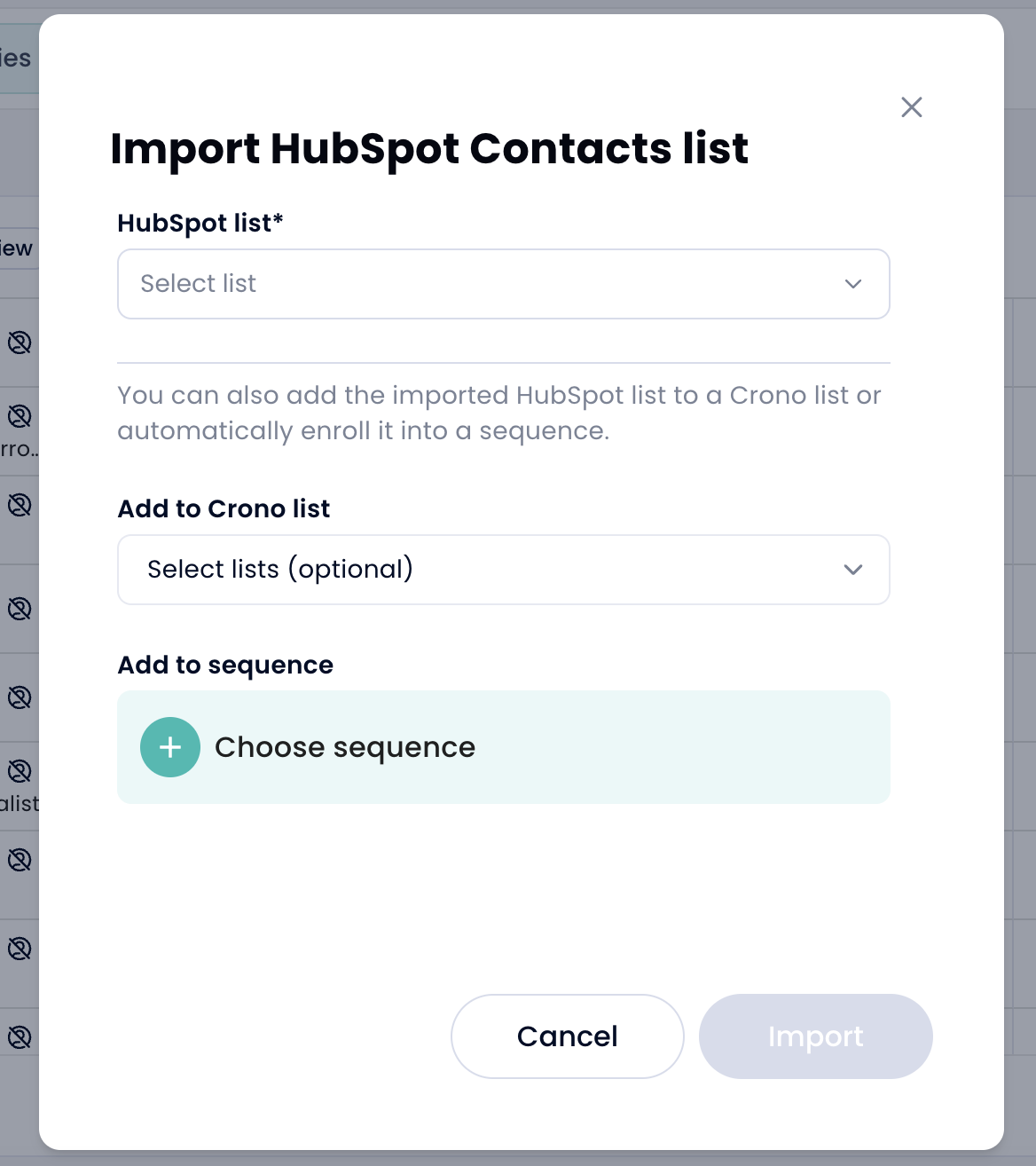
During the import process, you can choose how you want to manage the imported records in Crono.
You can add the imported HubSpot list to a Crono list, so you can easily find and organize those contacts or companies inside Crono.
If you are importing a contact list, you can also choose to enroll the imported contacts into a sequence. This helps you quickly start working on those contacts without having to add them to a sequence manually after the import.
Please note that sequence enrollment is available for contact lists only. Company lists can be imported and organized into Crono lists, but they cannot be enrolled into sequences directly.
