Stopping a sequence allows you to prevent a specific contact from receiving any further steps in that sequence. This is useful when the conversation has moved forward, the contact is no longer relevant, or you want to manually manage the next touch-points.
Go to the Sequences section
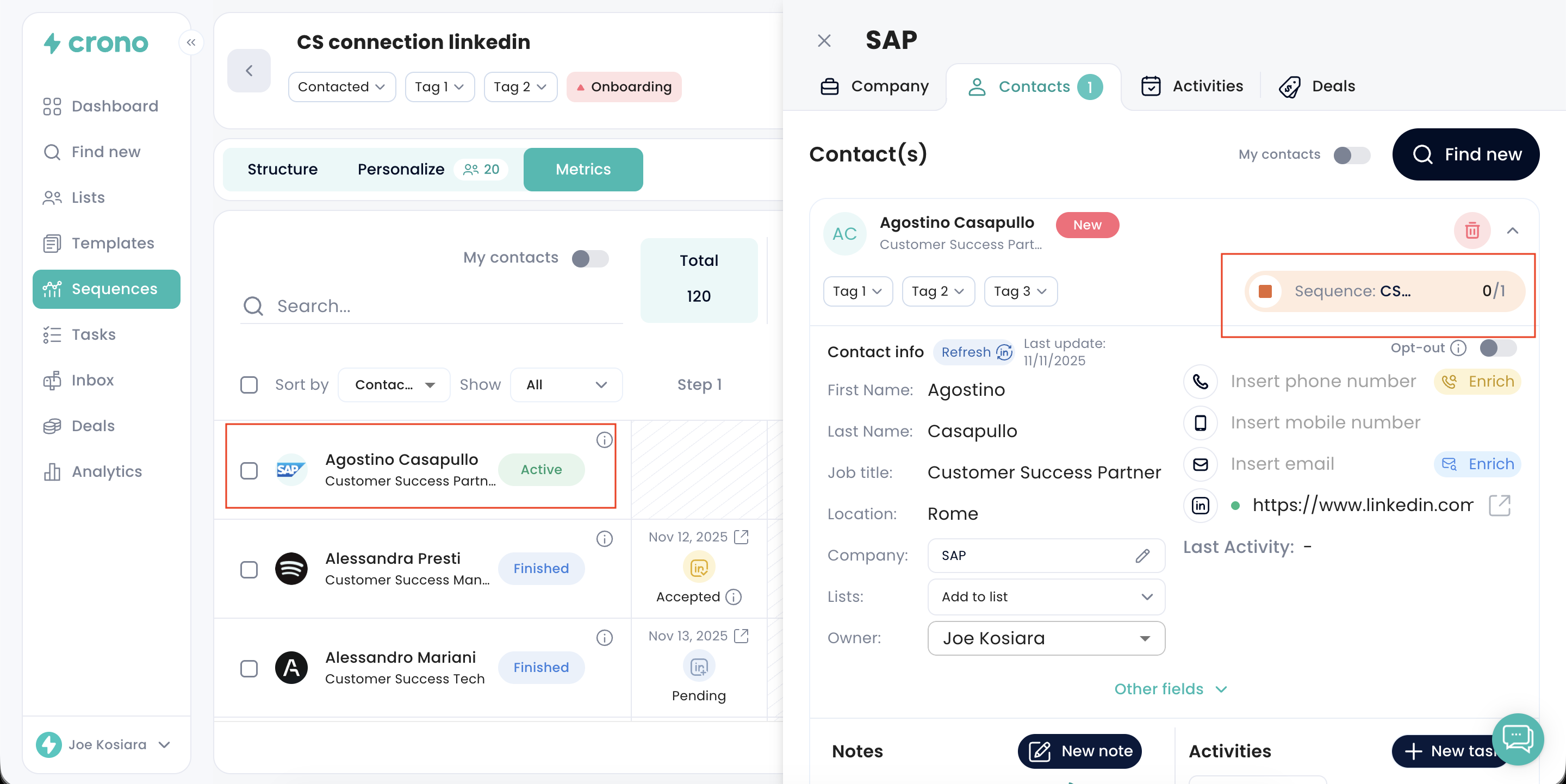
Open the sequence where the contact is currently enrolled
Acces the Personalize or the Metrics section where you find the Contacts enrolled into that sequence
Find the contact you want to stop, and click on his/her name and surname to open the contact card
Click Stop on the sequence (the stop icon) next to their name
The contact will immediately stop receiving future steps of that sequence.
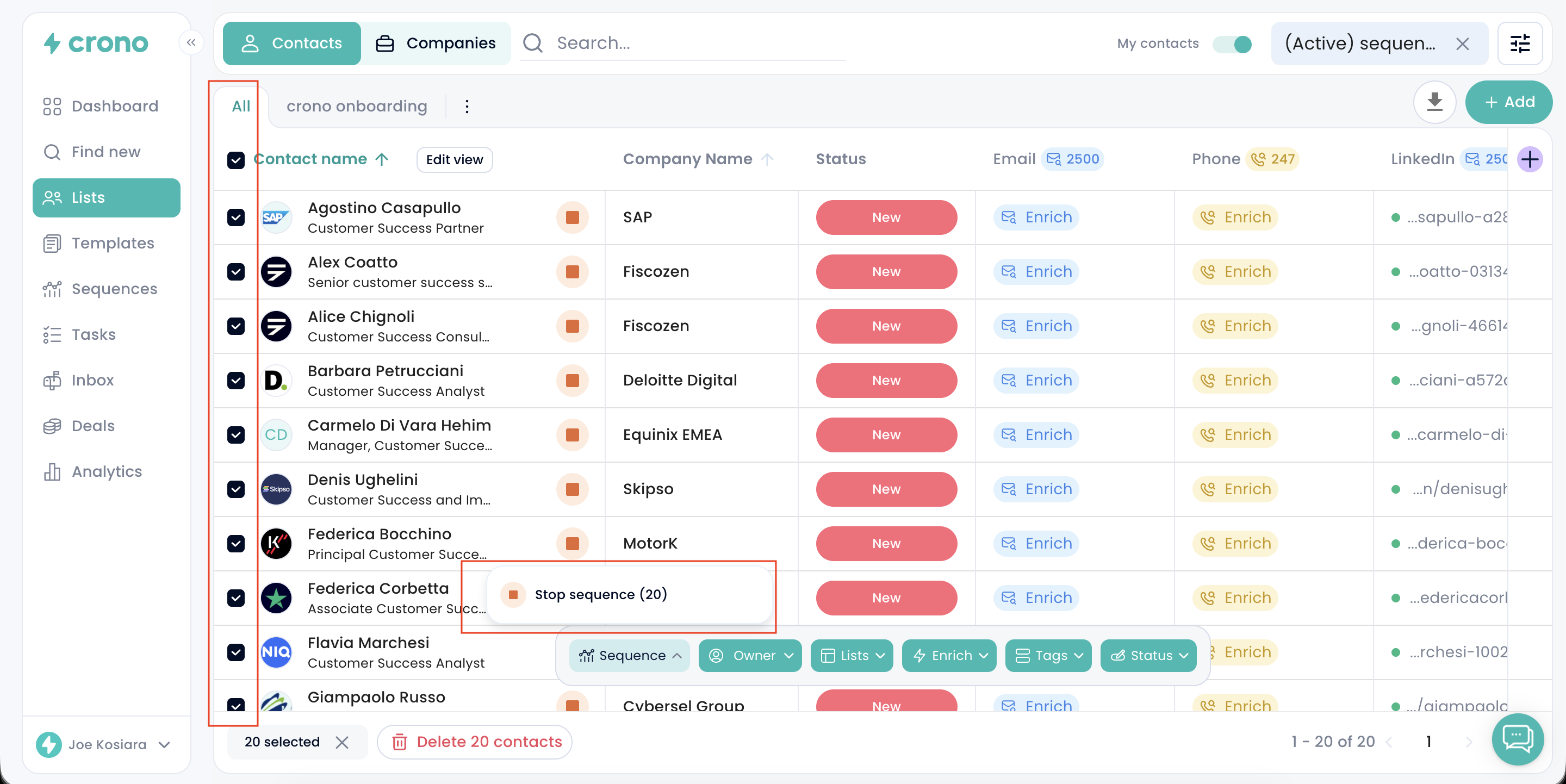
Inside the same Contacts tab in Lists page, select multiple contacts using the checkboxes
Click the Stop action that appears
Confirm your choice
All selected contacts will be removed from the sequence at once.
The contact will not receive any remaining steps from that sequence
Their status in the sequence changes to Stopped
Their past activity in the sequence remains visible
You can still manually message the contact outside of the sequence
If needed, you can reactivate them later by adding them back into the sequence.
