
Lead scoring in Crono lets you prioritize your leads by assigning a score to contacts and companies. This helps you quickly identify which prospects are most qualified or engaged, and focus on the ones that matter most.
Scores are dynamic, customizable, and update automatically as new information or engagement signals come in.
Available on Ultra and Enterprise. If you are on another plan and need this, get in touch — it can be enabled on request.
Setting up lead scoring
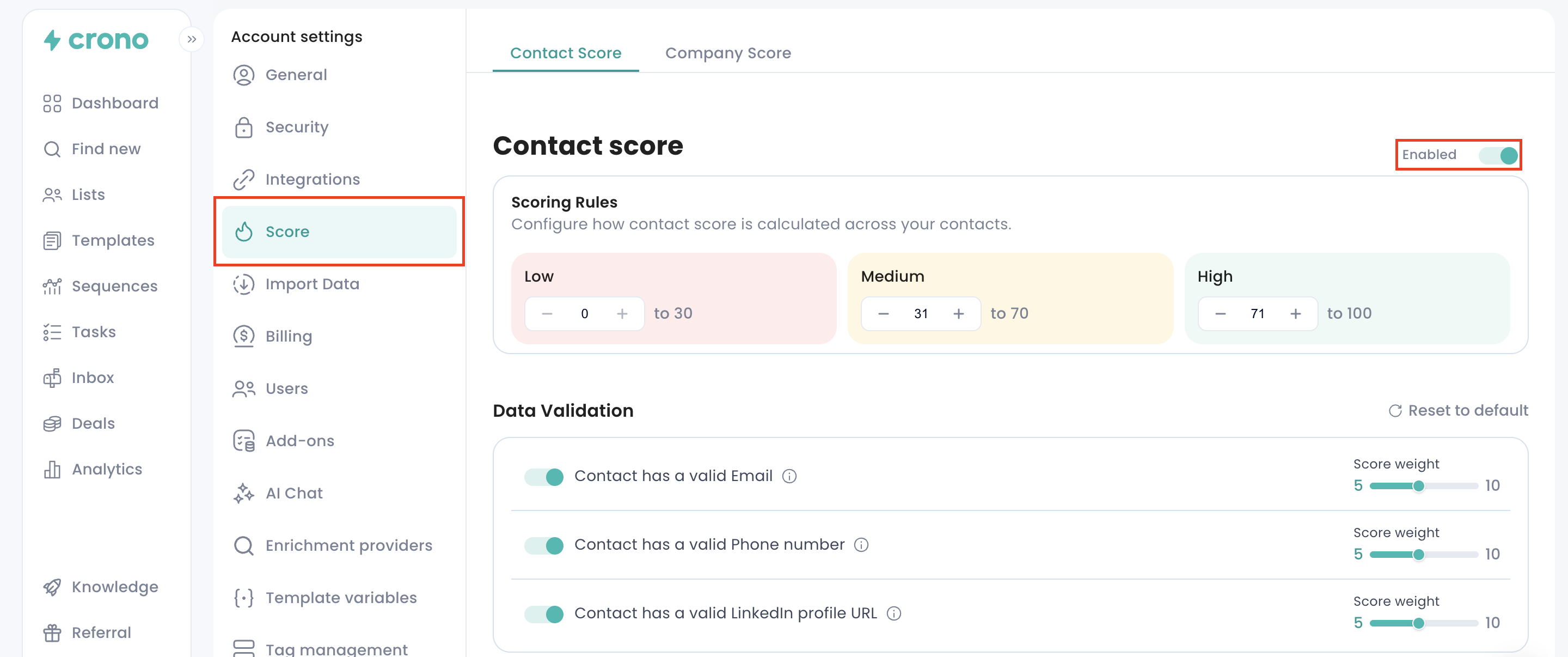
Go to Account Settings → Score.
Enable lead scoring for contacts, companies, or both. You can set different rules for each.
Review the default fields for data validation, such as email, phone number, and LinkedIn profile. You can turn fields on or off and assign a weight (1–10) to each criterion.
Add qualification rules for your target criteria: job title, location, industry, company size, or any custom fields.
Optionally, include engagement signals, such as email opens, clicks, replies, website visits, or promotions (for more information check out the Signals article).
Save your scoring model. Crono will recalculate scores for all leads automatically in the background.
Notes: Scores are normalized on a 0–100 scale. Missing data added later will automatically update the score.
Using lead scores
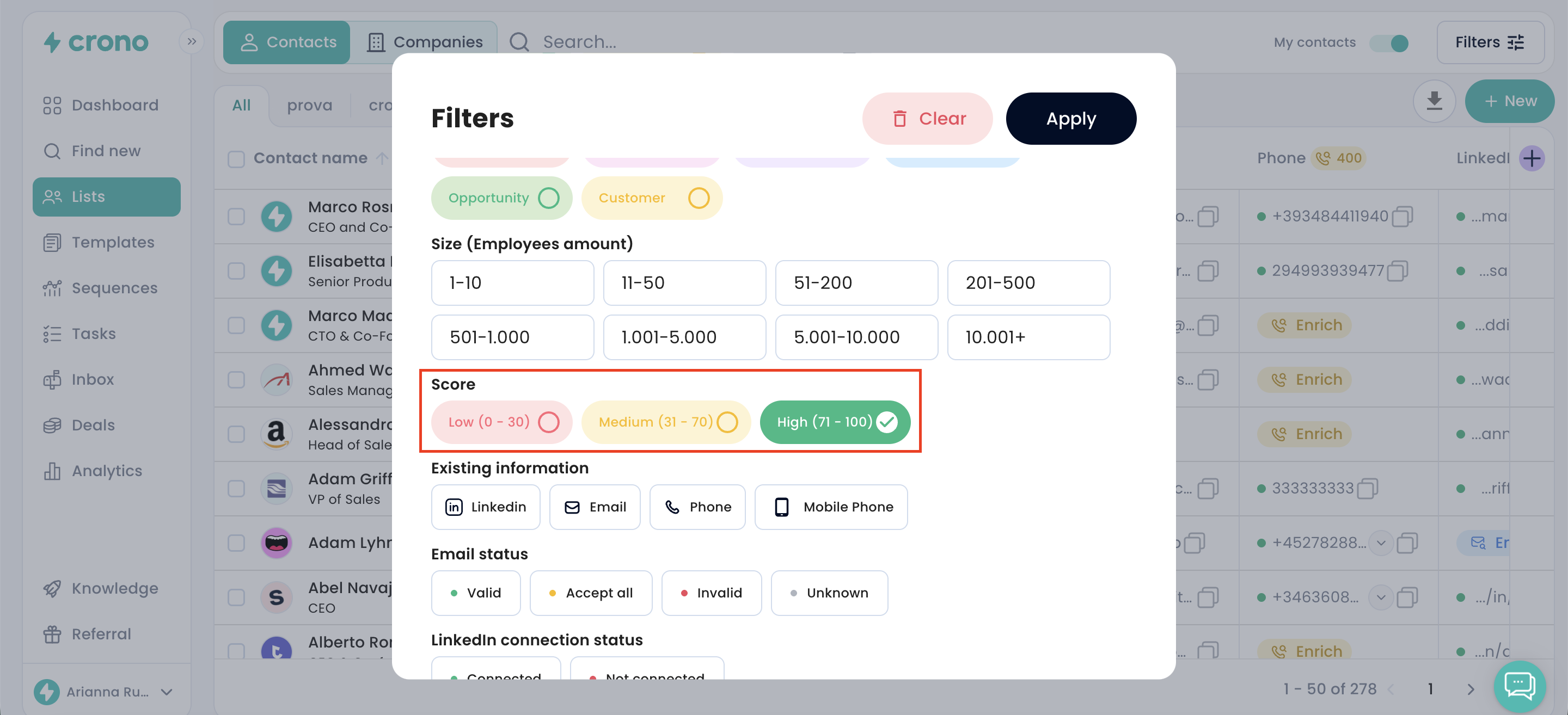
In your Lists, you can sort by score or filter for low, medium, or high scores.
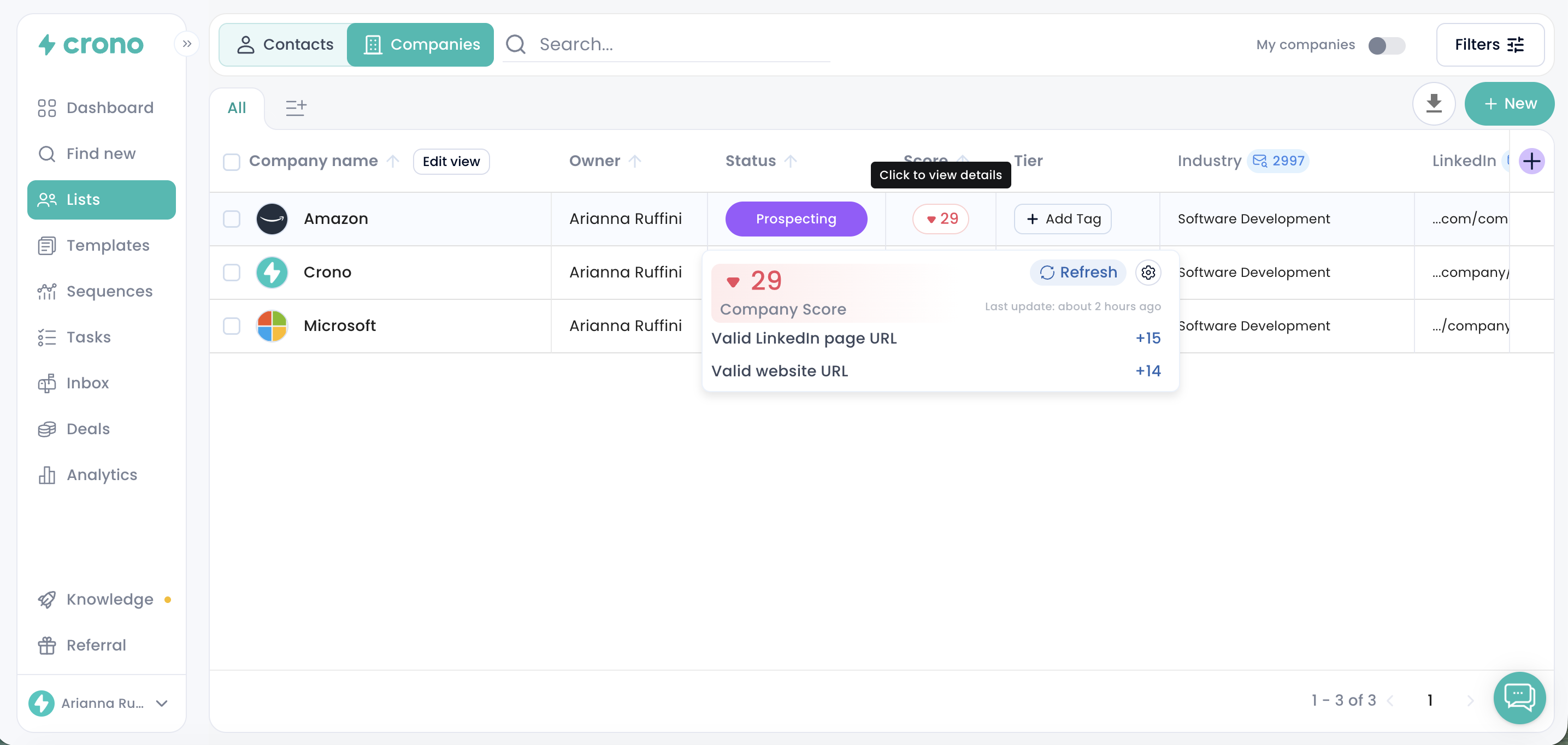
Click on the score number in the column to see a breakdown of all values and how the final score was calculated. This lets you understand why a contact or company received that particular score.
Focus your outreach on leads with high scores to make your follow-ups more efficient.
Scores are visible to all users, but the calculation method is configured once for the whole workspace, rather than per user, to ensure consistency.
You can refresh scores anytime if rules or data change.
Best practices
Start with basic scoring rules and refine them over time.
Focus on criteria that truly indicate interest or qualification.
Make sure your team is aligned by using one shared set of scoring rules for everyone.
Combine data quality, qualification, and engagement for a complete view of each lead.
Summary
Lead scoring in Crono provides a single, consistent way to prioritize contacts and companies. By using dynamic, customizable scores, your team can quickly focus on the leads that are most likely to convert.
📹 Watch the walkthrough video: Lead Scoring in Crono to set up your first scoring model.