
If you have an active Sales Navigator licence, Find New gives you two extra ways to narrow a search: choosing whether a filter value is included or excluded, and combining keywords with logical operators.
Include and Exclude
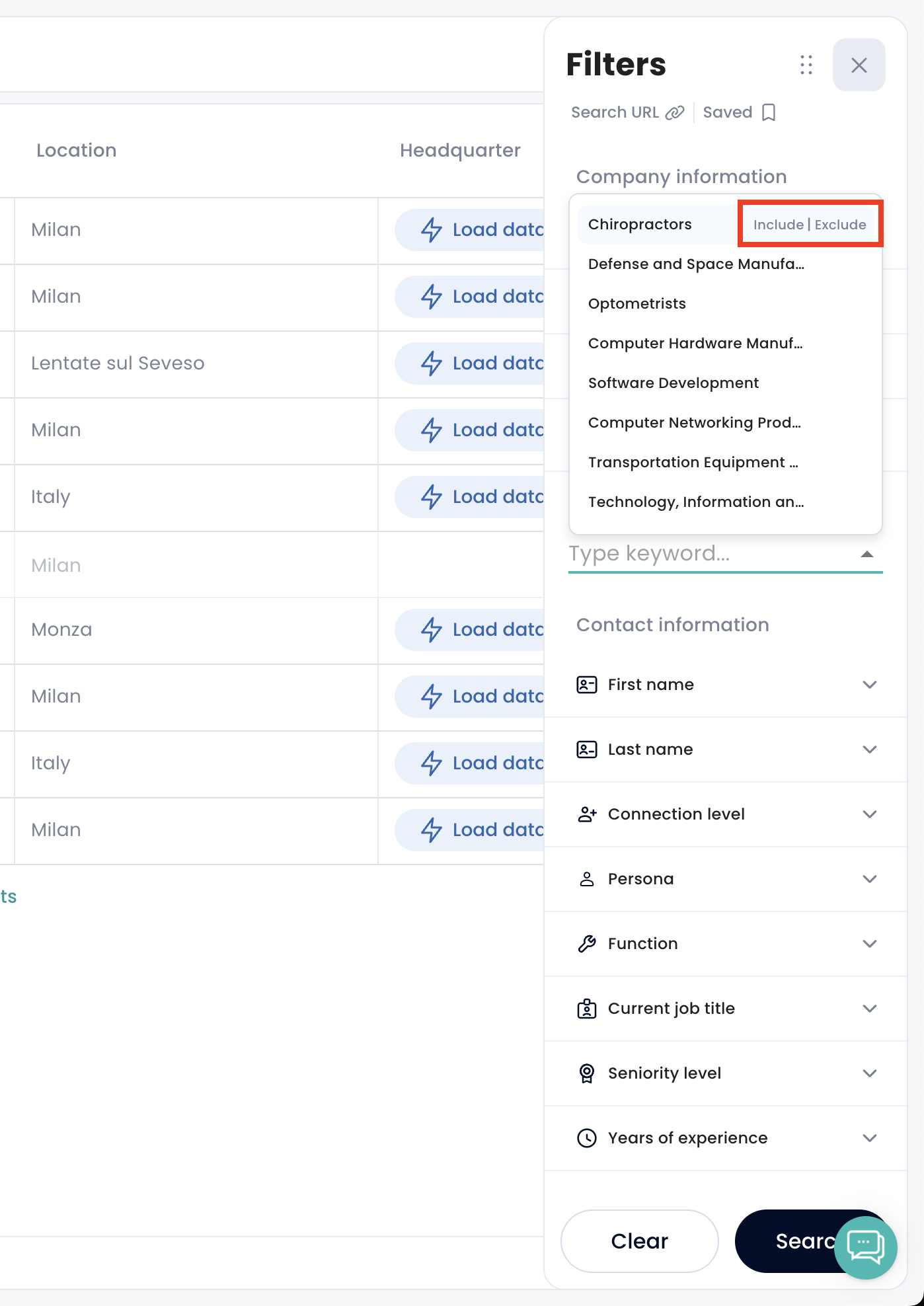
On any filter you can mark a value as Include or Exclude.
So if there is an industry you never want to see in your results, exclude it and those companies drop out of the search — rather than filtering them out by hand afterwards.
Keyword logic: AND, OR, NOT
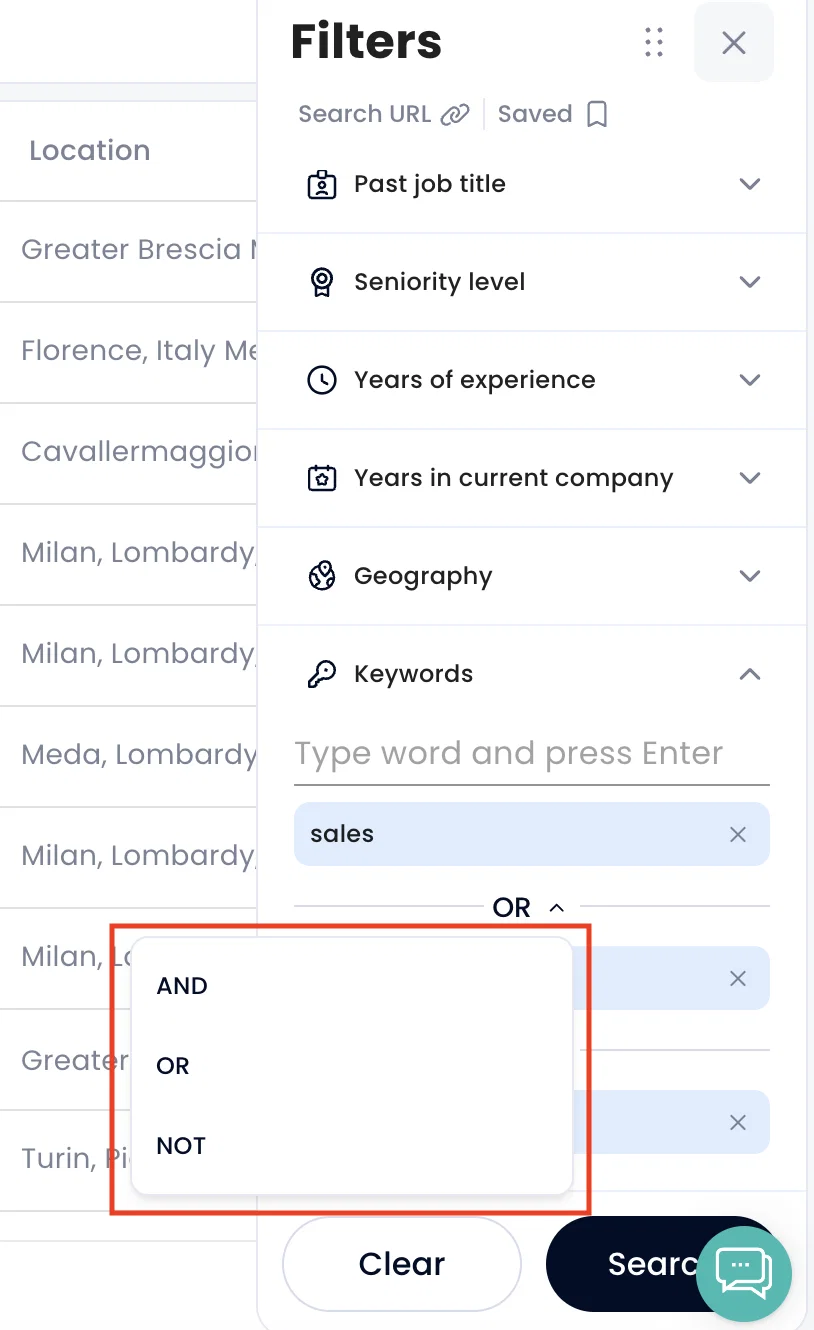
When you search by keyword, you can choose how the keywords combine:
AND — results must contain every keyword. "CEO AND SaaS" returns only profiles containing both.
OR — results contain at least one. "CEO OR Founder" returns profiles containing either.
NOT — excludes results containing the keyword. "CEO NOT Intern" drops anything mentioning "Intern".
Together these let you build a much tighter target list before you spend any credits enriching it.
For the full Find New workflow, see How to find and create contacts from Find New.