
You can now export the deals you created in Crono directly from the Deals page.
The export button is available in the top-right corner of the page, both in Board view and List view.
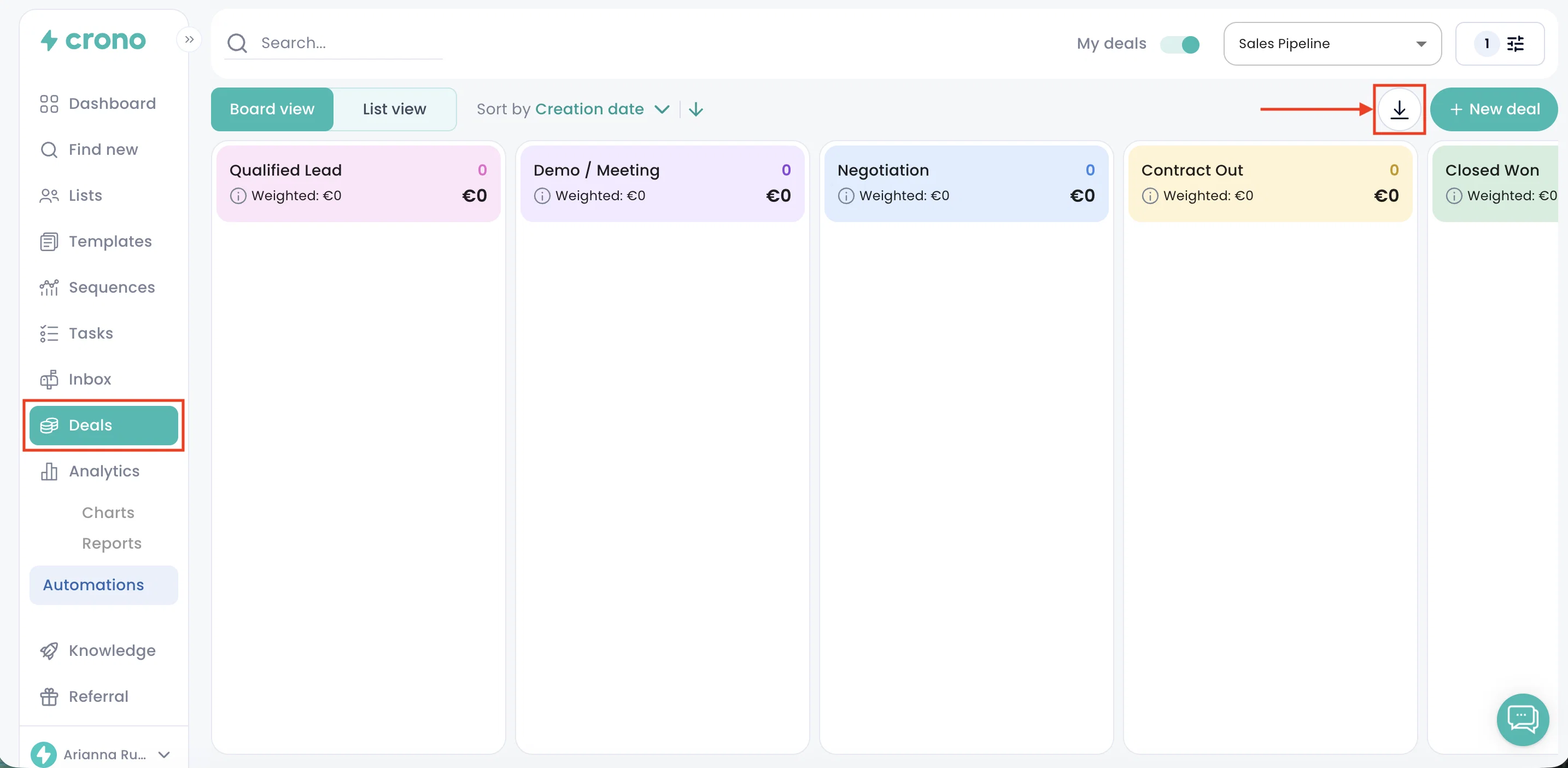
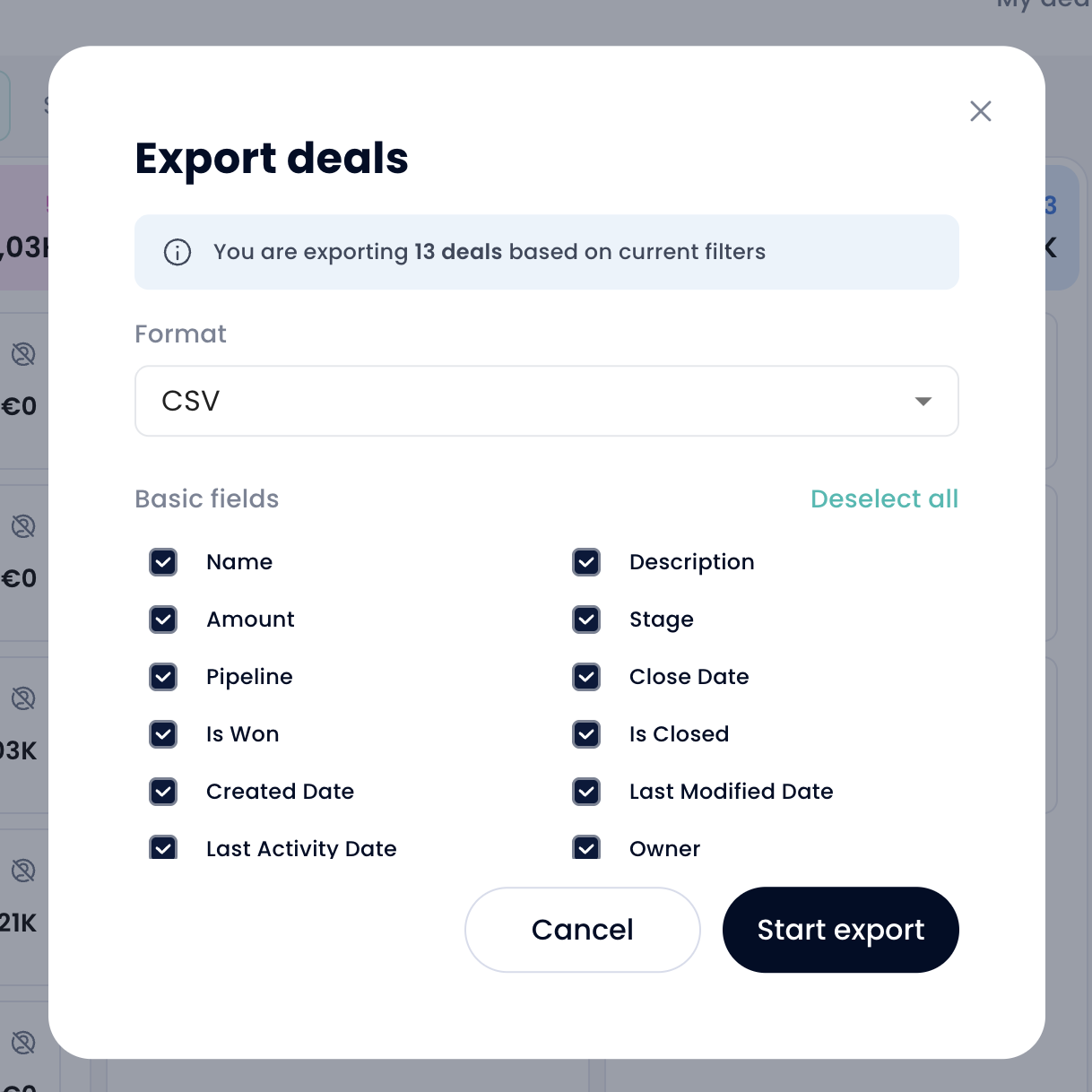
Click the button to open the export popup, where you can choose the file format - CSV or Excel - and select the fields you want to include in the export.
Once you have selected the format and fields, click Start export. Your file will then be downloaded automatically.
This makes it easier to run deeper reports, analyze your pipeline offline, share deal data with your team, or create custom views outside of Crono.